
Welcome to North Dakota’s Agency Portal for ADA Compliance

This hub has been carefully designed to help your agency create inclusive digital services for all North Dakotans. Whether you’re just beginning your accessibility journey or are a ways down the road, we’re here to point you toward helpful tools, training, and tips—in one convenient spot.
Digital Accessibility in a Nutshell
Digital accessibility boils down to designing websites, applications, documents, and other assets so everyone—including people with disabilities—can use them effectively. It’s our shared responsibility as state agencies, one that empowers every North Dakotan to fully participate in the digital world.
In a nutshell, accessibility helps us:

Step 1: Understand Roles & Responsibilities
ADA compliance takes clarity and commitment—which is why it’s important to know who does what:
- Responsible: The stakeholder who completes the work.
- Accountable: The stakeholder who owns the outcome.
- Consulted: The stakeholder who provides input.
- Informed: The stakeholders kept up to date on progress.
Pursuing the April 2027 Deadline
In response to the U.S. Department of Justice’s final rule mandating Title II compliance under the Americans with Disabilities Act (ADA), North Dakota has launched a statewide initiative to help all digital services meet Web Content Accessibility Guidelines (WCAG) by the extended digital accessibility deadline of April 26, 2027.
As state agencies, we’re all committed to pursuing compliance leading up to April—not just as a one-time effort, but as an ongoing practice. To accomplish that goal, there are a few key steps to follow below.
Task | Responsible | Accountable | Consulted | Informed |
|---|---|---|---|---|
| Web Content Compliance | Content Admins | Agencies | Agencies; NDIT | Agencies; State Leadership |
| Web Platform Compliance | NDIT | NDIT | Agencies | Agencies; State Leadership |
| Forms Compliance | Content Admins | Agencies | Agencies; NDIT | Agencies; State Leadership |
| NDIT App Compliance | NDIT | NDIT | Agencies | Agencies; State Leadership |
| Vendor App Compliance | Vendors | Agencies | Agencies | Agencies; State Leadership |
| Other Web Content Compliance | Content Admins; Vendors | Agencies | Agencies | Agencies; State Leadership |
Step 2: Access Training & Education
Check out the state’s current lineup of training resources below—they’re crafted to meet you where you are, whether you’re learning the basics or refining advanced practices.
ADA training resources available exclusively to state employees.
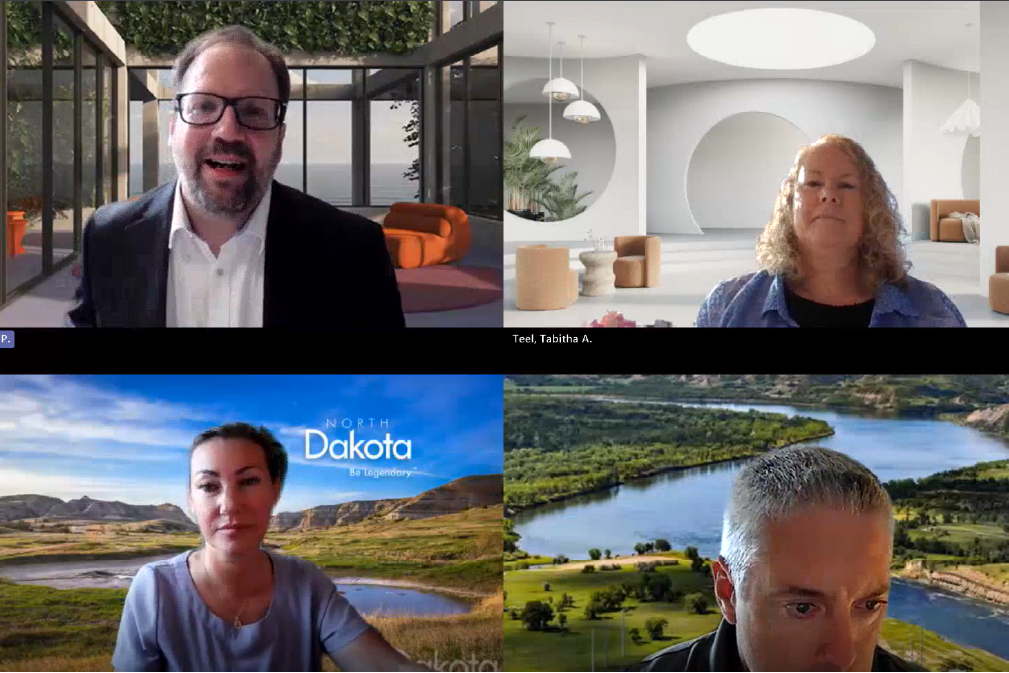
Enjoy a homegrown "ADA 101" course recorded by our EduTech team.

Have you heard? Siteimprove is the newest platform in our toolbelt.
Step 3: Explore Tools & Resources
To help agencies move from awareness to action, the state offers a variety of approved resources to support agencies in improving digital accessibility.
We’re excited to announce that North Dakota has entered into a statewide enterprise agreement with Siteimprove—a leading, industry-standard accessibility tool that many other states have adopted as the cornerstone of their ADA strategies.
Use Clear, Simple Language
Keep content straightforward and easy to read for everyone. Avoid jargon or long, complex sentences.
Support Keyboard Navigation
Make sure all interactive elements—links, buttons, forms—can be used without a mouse.
Add Descriptive Alt Text
Provide meaningful alternative text for images so screen readers can describe them.
Check Color Contrast
Use high contrast between text and background to improve readability for all users.
Format Headings Properly
Structure content with clear headings (H1, H2, H3) to organize information and aid navigation.
Caption Multimedia
Add captions or transcripts to videos and audio files for users who are deaf or hard of hearing.
Make Links Descriptive
Avoid vague “click here” links—describe what users will get when they click.
Keep Forms Simple
Label fields clearly, provide instructions, and include error messages that explain what’s wrong.
Know the Exceptions
Available specifically to state employees, North Dakota’s Web Accessibility Exceptions page outlines unique considerations for ADA compliance.
Ensure File Accessibility
Research best practices for different file types, especially in terms of tagging headings and tables properly. To help you get started, here are some handy accessible Word templates.
We’ve also created the following convenient quick cards.
- One-Page Versions: Bookmark these for quick access/viewing on your computer.
Print Versions: These are created specifically for printing. Print them front-to-back and cut down the middle for two copies per printout.
Use the state’s digital accessibility website tracker template to help document compliance progress as you go!
Download one of two accessibility one-pagers for easy-to-digest guidance: ADA for agencies or ADA for political subdivisions.
Need Help or Have Questions? We’ve Got You
If you’d like assistance in one of the following areas, please reach out to our designated stakeholders. They’ll be happy to help!
- Siteimprove: Jennifer Arpero, Application Support Specialist
- State Website Platform (Drupal): Julie Arp, Business Applications Manager
- Applications: Uday Madireddy, Director of Business Applications
- Forms: Aimee Bader, Compliance and Records Manager
Continually Connect, Learn, & Improve
Digital accessibility is an ongoing journey, and every step you take makes an impactful difference for the people you serve. Our hope is that this hub can be your go-to resource for guidance, tools, and training along the way.
More Resources at Your Fingertips

Available to state employees, our FAQs answer common questions about digital accessibility.

Request access to ND's official accessibility Microsoft Teams chat, a helpful hangout to talk about ADA.

Stay up to snuff on Drupal updates—track releases, discover ADA enhancements, and more.